Connect Cursor
One click adds the Ticker server to Cursor.
Who can do this: Any Cursor install. Nothing to paste, and no plan requirement.
https://api.findticker.com/mcpSteps
- 1
Click Add to Cursor.
Your browser hands the link to Cursor, which opens with the Ticker server filled in.
- 2
Confirm the install in Cursor, then sign in to Ticker when prompted.
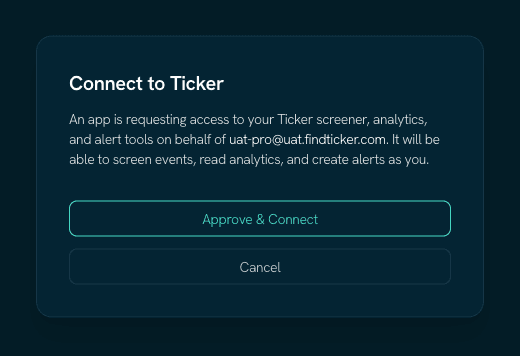
- 3
If the button does not open Cursor, open Cursor Settings, then MCP, then Add server, and paste the Ticker server URL.
Use this when a browser blocks application links, or when Cursor is not installed on the machine you are reading this on.
Worth knowing
The link carries no credential
It carries only the server URL. Signing in happens in Cursor over OAuth, so nothing personal is ever in a link or a config file.
Where these steps come from
Checked against the platform's own documentation on 2026-08-29. Cursor changes these menus without notice — if a name here does not match what you see, the platform docs below are the newer truth, and tell us so we can fix this page.