Watchlist
Your Views and the events you watch in one list, with what each one tells you about.
The Watchlist holds the screens and events you follow. A row is either a Screen (a View) or an Event you clicked Watch on.
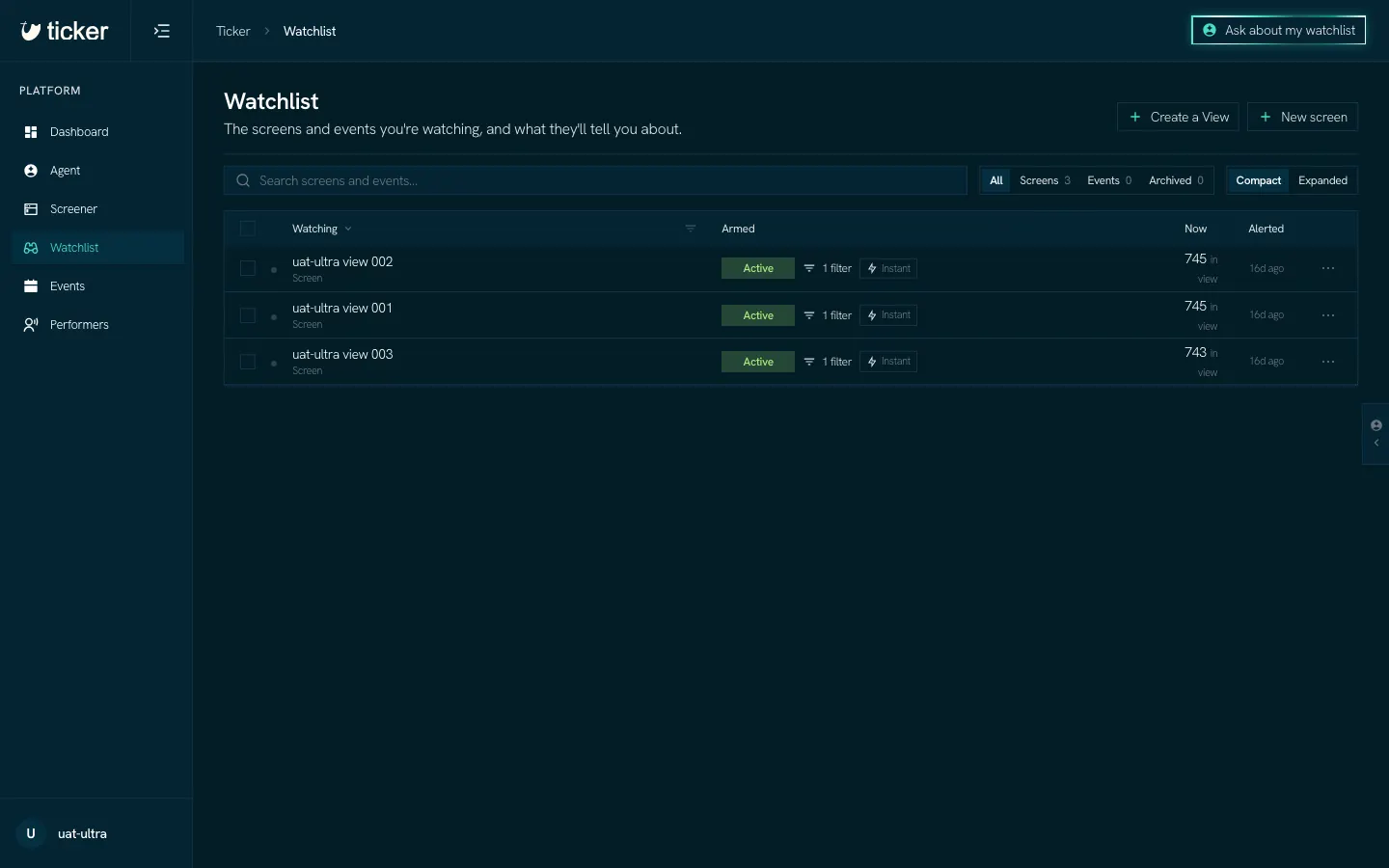
Read a row
- Watching: the name of the View or event.
- Armed: whether the View sends Alerts (Active), how many filters it has, and when its Alerts go out.
- Now: how many events are in the View at this moment.
- Alerted: when it last sent you an Alert.
The ⋯ menu at the end of a View's row has Edit screen, Tags & color, Duplicate, Copy link and Delete. On an event's row it has Trigger settings, Open event and Stop watching.
Add to it
- Create a View walks you through a new View.
- New screen opens an empty screen in the Screener.
- Watch on an event page adds that event.
The tabs above the list (All, Screens, Events, Archived) narrow it, and Compact or Expanded sets how much each row shows.
Where Alerts go
Each Alert is an email, or a message at an Alert destination you add under Settings.