Agent
Ask Ticker about the ticket market in plain language, on its own page or beside any page.
The Agent answers your questions about the market from the same data as the rest of the app. It can read your Views, your Watchlist and your account.
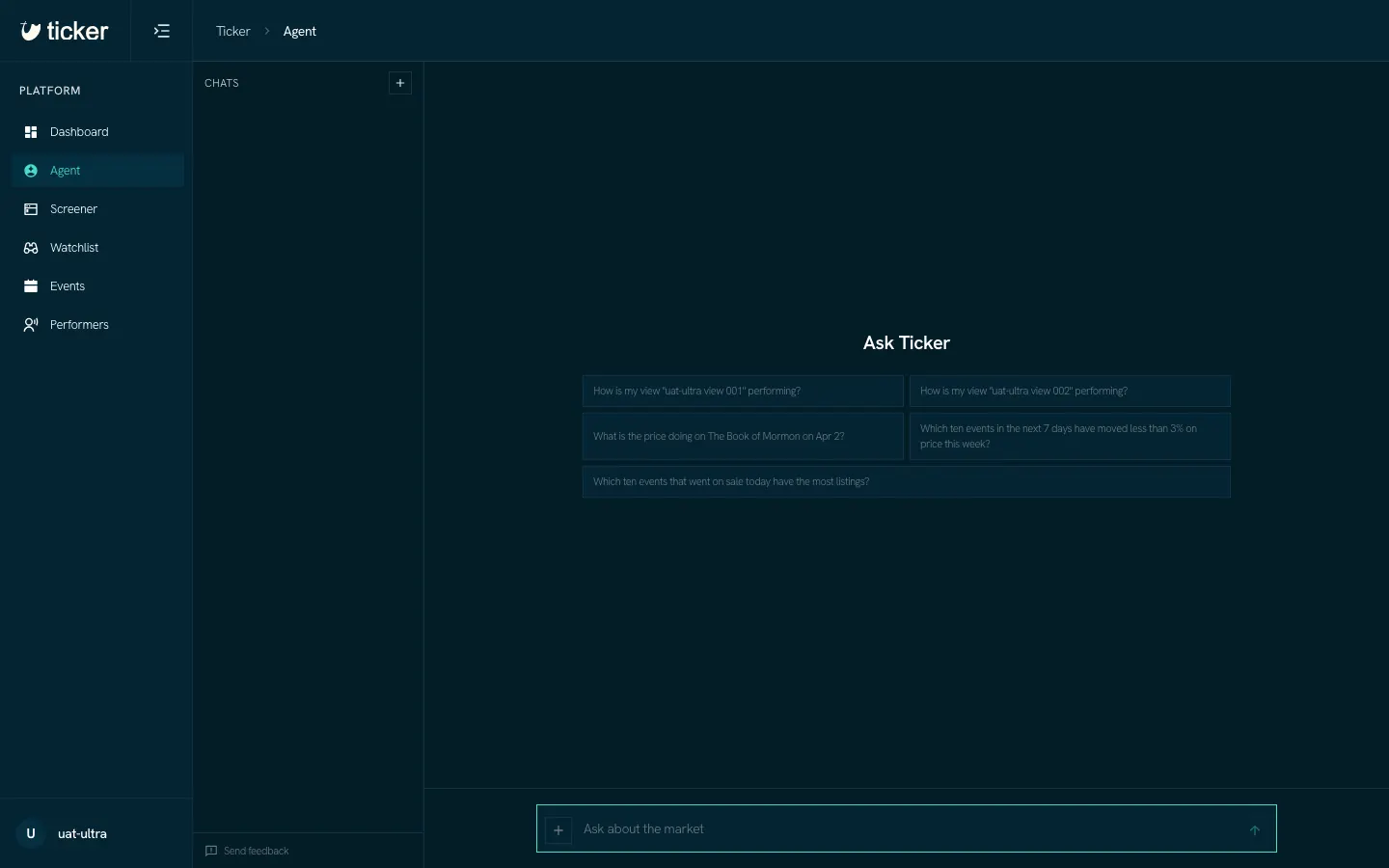
Start a chat
- Open Agent in the sidebar.
- Type a question in the box at the foot of the page, or click one of the suggested questions. The suggestions come from your Views, your watched events and the market now.
- Press Enter.
Each chat gets a short title after the first question and stays in the Chats list. Click + above the list for a new chat.
Ask beside the page you are on
The button at the top right of every page opens the same Agent in a column beside the page. On the Screener it reads "Ask about this screen"; on an event page, "Ask about this event". The page goes with your question: you see it as a chip above the box, and you can remove it.
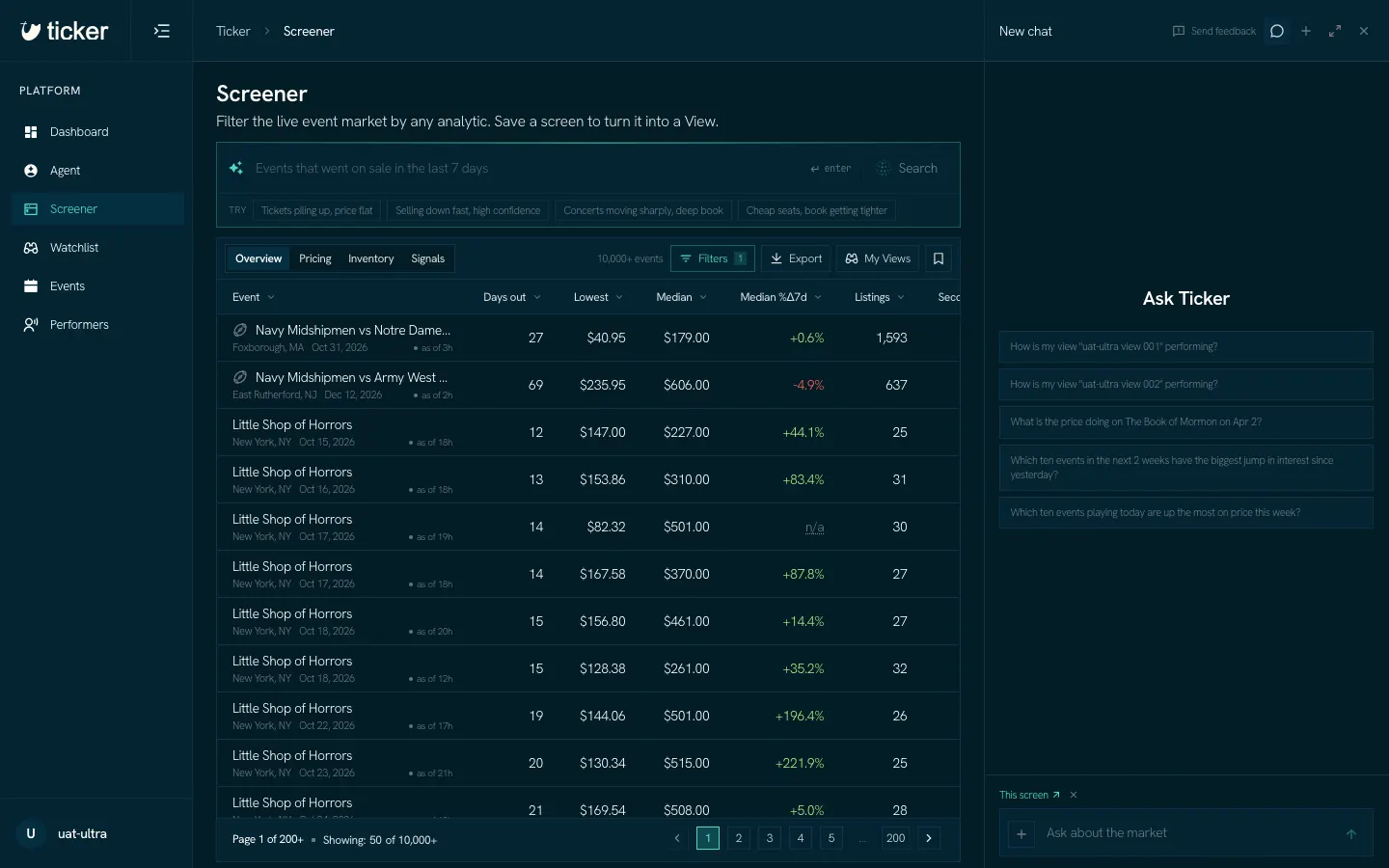
A chat keeps running if you leave the page or close the column. The chats in the column are the same chats as on the Agent page.
Add context
Click + in the question box to attach a View or watched events to your question.