Events
The list of every event we track, and the event page with its price chart, Seat map and sections.
Events lists every event we track, soonest first. Search by name, filter by status, date or venue, or apply one of your Views to the list with Apply saved view.
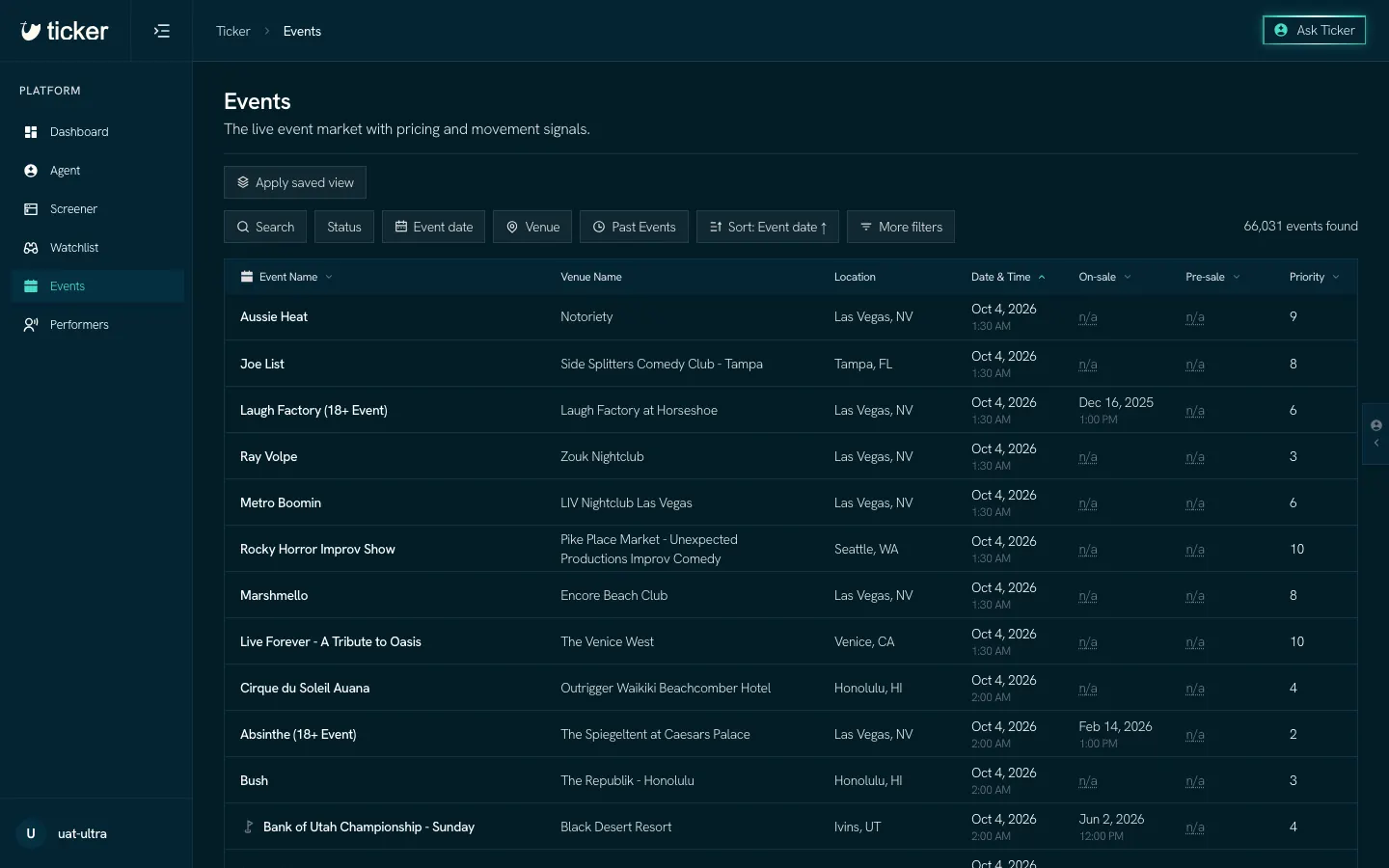
Click an event to open its page.
The event page
The top of the page names the event, its date in your local time, the venue and the performers. The cards under it give the market now: the median price, the get-in price (the cheapest ticket), how many listings and tickets are on sale, how much is left, and how much prices have moved.
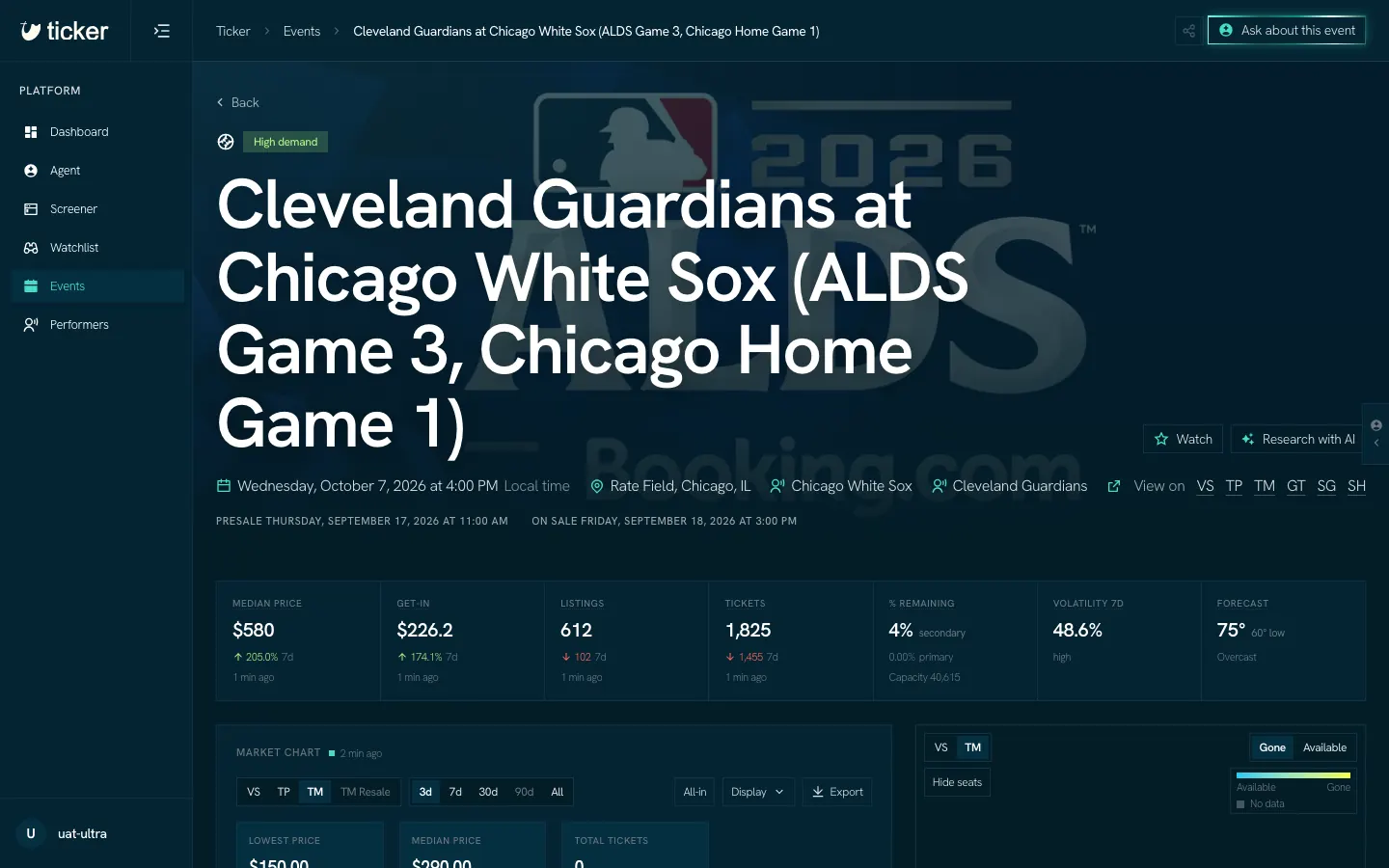
- Watch adds the event to your Watchlist.
- Research with AI gathers dated news items about the event, each with its source.
- Ask about this event opens the Agent with the event attached.
Market chart
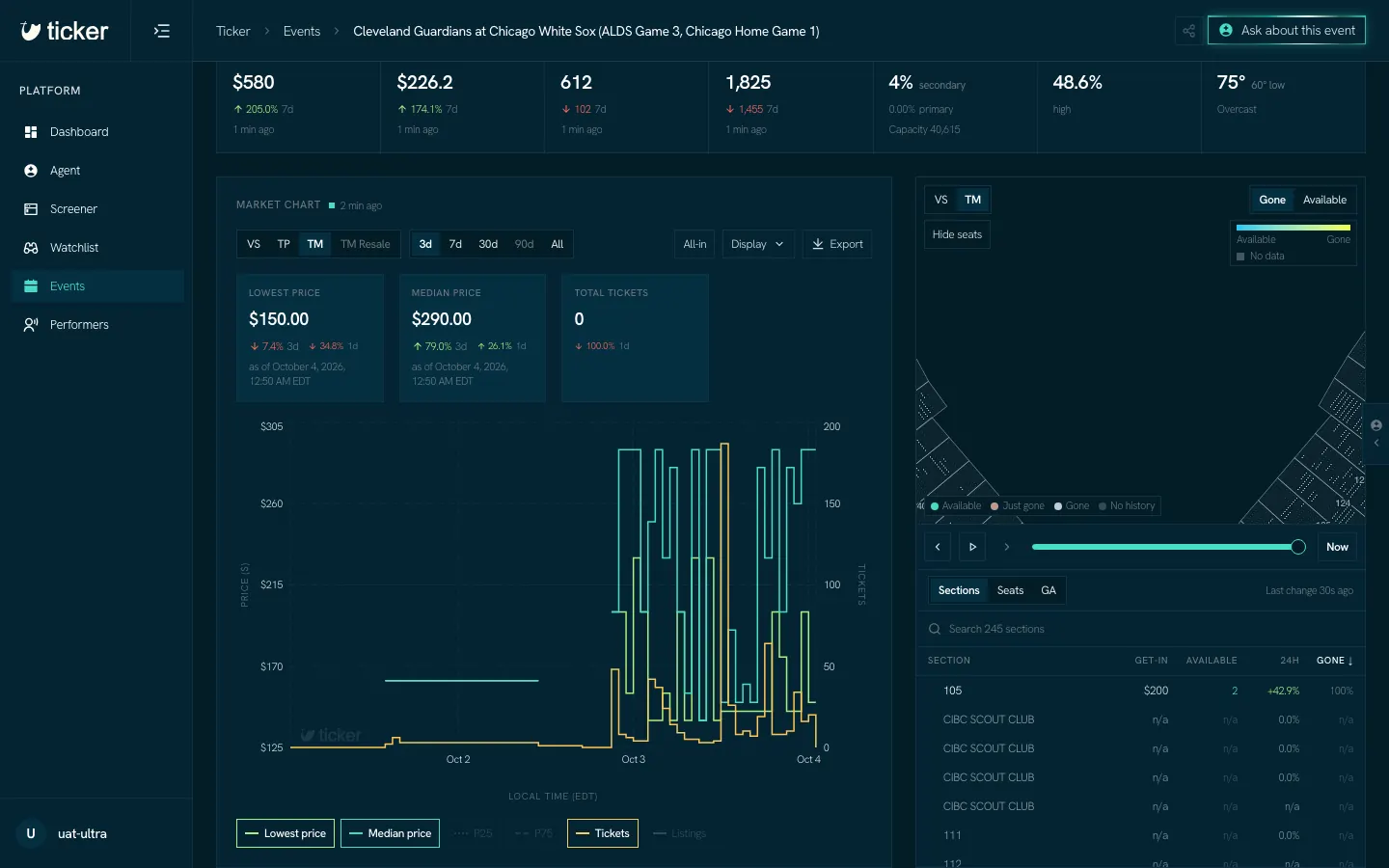
The Market chart shows prices and tickets on sale over time.
- The Lens buttons at the top left pick which marketplace the chart reads.
- 3d, 7d, 30d, 90d and All set the range.
- Click a line's name under the chart to show or hide it.
- Export saves the chart as an image, or its data as a CSV file.
Seat map and sections
The Seat map draws the venue by section and colors each one by the number you pick. Click sections on the map or in the list under it to select them; the chart then draws one line per selected section. Gone is the share of a section's seats that are taken, no longer open for sale on the primary market. Taken is not the same as sold.
The slider under the map moves the map back in time. Now returns to the present.
Ticker remembers what you were looking at on each event, such as the selected sections, the Lens and the range, and opens the page that way the next time.