Connect ChatGPT
Turn on developer mode, then add Ticker as a plugin.
Who can do this: A paid ChatGPT plan. On a Business, Enterprise, or Edu workspace the developer-mode toggle is subject to workspace policy, so an admin may have to turn it on first.
https://api.findticker.com/mcpSteps
- 1
On a paid ChatGPT plan, open Settings, then Security and login, and turn on Developer mode.
Whether this toggle is available at all is a workspace policy on Business, Enterprise, and Edu accounts.
- 2
Open Plugins from the left sidebar, or from Settings, then Plugins.
This screen was called Connectors until OpenAI renamed it in July 2026. Older guides still say Connectors.
- 3
Press the plus button to create a plugin.
- 4
Name it Ticker and write a short description.
The model reads the description to decide when to reach for Ticker, so say what it is for rather than what it is called.
- 5
Under Connection, paste the Ticker server URL, keeping the /mcp path on the end.
The /mcp path is required. Without it the plugin will not connect.
- 6
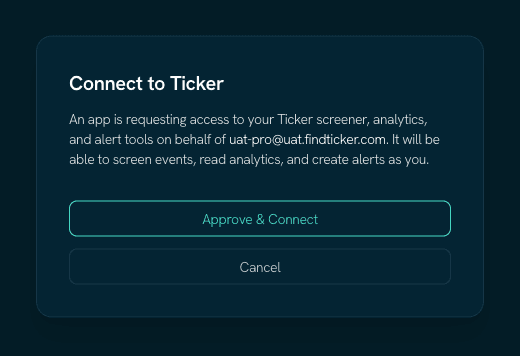
Set Authentication to OAuth, then approve and sign in to Ticker when ChatGPT asks.
ChatGPT reads Ticker's OAuth settings from the server and registers itself. Leave any client ID and secret fields empty.
- 7
Review the tools ChatGPT found, then start a chat.
Tool descriptions are captured when the plugin is created. If Ticker's tools change later, press Refresh on the plugin to pick them up.
Worth knowing
The menu keeps moving
OpenAI renamed Connectors to Plugins in July 2026 and moved the developer toggle to Security and login. If Security and login has no Developer mode, look under Apps, then Advanced, and check whether your workspace policy allows it.
Ticker needs no client ID or secret
The server registers your client automatically and uses PKCE. Leave any OAuth client fields empty.
Where these steps come from
Checked against the platform's own documentation on 2026-08-29. ChatGPT changes these menus without notice — if a name here does not match what you see, the platform docs below are the newer truth, and tell us so we can fix this page.